
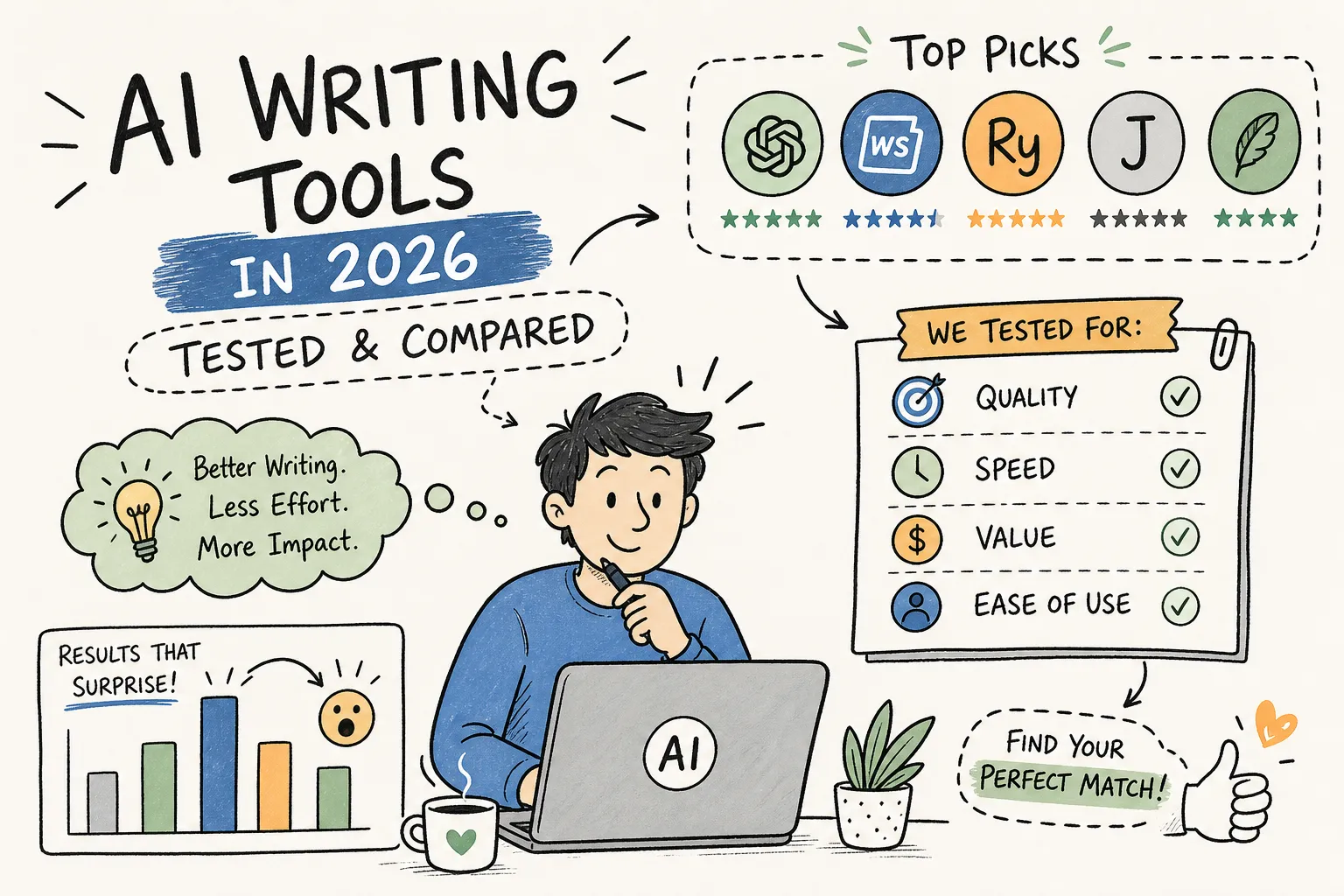
AI Writing Tools in 2026: Top Picks Tested and Compared
Most of these platforms promise the same thing. Faster drafts, better content, less staring at blank screens.
Here’s what they don’t tell you. The platform that writes the best blog post might write the worst ad headline. The one that nails short copy falls apart at 2,000 words. And the “all-in-one” options? You’re paying for features you’ll open once and forget.
I’ve spent months watching how these platforms actually perform when you stop testing them and start shipping content. Not demo videos. Real work.
This breakdown skips the feature spreadsheets. It groups options by what you’re actually trying to do – blogging, marketing copy, SEO – and flags where each one breaks down.
What to Look for Before Picking AI Writing Tools
Use Case Alignment Comes First
Feature count is a trap. A platform built for marketing headlines will crush a general-purpose option on ad copy, even if the general one has better reviews.
Before you look at pricing, answer one question. What’s your actual bottleneck? Long blog posts, short copy, SEO articles, or social posts? That single answer eliminates half the market immediately.
I learned this the hard way. Bought a premium SEO suite last year because the feature list looked impressive. Used maybe 20% of it. The rest collected dust while I kept going back to a $20 option for actual drafting.
Integration with Your Current Workflow
A platform that doesn’t slot into your existing stack dies fast. If you live in Google Docs, software with no Docs add-on becomes friction you tolerate for a week, then abandon.
Check for WordPress connectors, Google Docs integration, and SEO connections like Surfer or Semrush. The switching cost is higher than most people calculate. It’s not just learning the interface. It’s rebuilding your workflow around it.
Output Quality vs. Speed: The Real Trade-Off
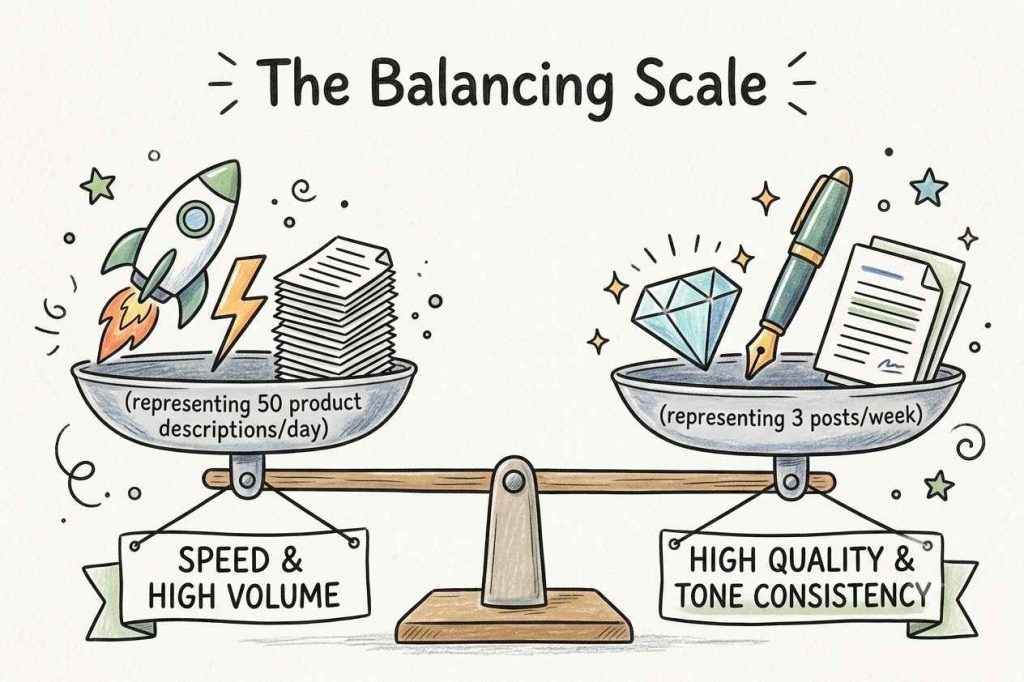
High-volume options generate faster. Quality ones generate better. You can’t optimize for both at the same time.
A freelancer publishing three posts a week needs prose that holds up. An agency producing fifty product descriptions daily needs throughput. Be honest about which camp you’re in. Most people claim they want quality, then buy for speed and wonder why their output sounds like everyone else’s.
Best AI Writing Tools for Bloggers and Long-Form Content
Claude: The Strongest Choice for Natural-Sounding Prose
Claude wins on voice consistency across long documents. Its context window doesn’t drift halfway through a draft the way shorter-context options do.
A G2 reviewer who tested both Claude and ChatGPT across twenty tasks found Claude stronger on fourteen of them – with the biggest gap on pieces over 1,500 words.
If you want a first draft that’s close to publishable – not a rough outline to rebuild from scratch – this is the obvious pick. At $20 per month for Pro, it’s priced identically to ChatGPT, so the choice comes down to prose quality versus flexibility.
ChatGPT: The Most Flexible All-Rounder for Drafters
ChatGPT’s strength is versatility. Ideation, research drafting, outlining, editing – it handles the full cycle in one place. The prose isn’t as polished as Claude out of the box, but its ability to iterate fast makes it the most adaptable option in this category.
At $20 per month for Plus, it’s priced the same as Claude. Want a near-final draft? Claude. Need one platform that does everything passably well? ChatGPT.
Jasper: Built for Brand-Consistent Long-Form at Scale
Jasper isn’t the best raw writer. What it adds is infrastructure – team collaboration, brand voice controls, and marketing workflow features layered on top of the underlying models.
Current pricing starts at $49 per month for Creator and $69 for Pro, with Business at custom pricing.
Solo bloggers who need brand consistency will find it useful. Teams with multiple writers will find it essential. You’re paying for the scaffolding around the draft, not a better engine.
Top AI Copywriting Tools for Marketing and Short-Form Content
Anyword: Data-Driven Copy with Performance Scoring
Anyword doesn’t just generate copy – it scores how likely that copy is to convert before you publish. The predictive score draws on training data from roughly two billion marketing data points.
When you see a score of 81, that means the copy is predicted to outperform 81% of similar texts in their dataset.
For paid social and email marketing where headline performance is measurable, this is genuinely useful. For general blogging? You’re paying for analytics you’ll never open.
Copy.ai: Fast Template-Driven Output for Marketing Teams
Copy.ai is built around speed and iteration. Its go-to-market workflow features help teams generate multiple copy variations fast – email sequences, product descriptions, social posts.
The trade-off is depth. It works for short assets but struggles with anything requiring sustained argument or editorial voice. Use it when volume and speed matter more than polish.
Writesonic: The Hybrid Between AI Copywriting and SEO Content
Writesonic sits somewhere between a copywriting platform and an SEO content generator. It integrates with Google Search Console and Analytics to pull performance data into suggestions, and can publish directly to WordPress.
Pricing starts at $99 per month for Starter, scaling to $499 for Growth.
The prose won’t match Claude’s quality, but the built-in SEO and publishing workflow can justify the price for bloggers focused on search traffic.
SEO-Focused AI Writing Tools and How Integrations Actually Work
Surfer AI and Semrush’s Writing Assistant: Live SEO Scoring While You Write
Both options layer real-time SEO feedback directly into the drafting environment – keyword coverage, structure recommendations, content scores. Surfer integrates with Jasper and pushes optimized content to WordPress via plugin.
Semrush’s Writing Assistant connects to the broader Semrush data ecosystem, making it stronger for teams already using Semrush for keyword research.
The catch? These optimize for search engines, not readers. A perfect SEO score doesn’t mean anyone finishes your article.
AI Text Generators That Handle the Full Research-to-Publish Workflow
NeuronWriter and SEOWriting.ai combine SERP analysis, AI drafting, and WordPress publishing in one workflow. SEOWriting.ai is the most direct option – generate an article, send it to WordPress in one step.
NeuronWriter adds semantic SEO, internal link suggestions, and Search Console integration for a more deliberate optimization process. Both suit bloggers and agencies where workflow speed matters as much as individual piece quality.
How AI Writing Tool Pricing Really Breaks Down
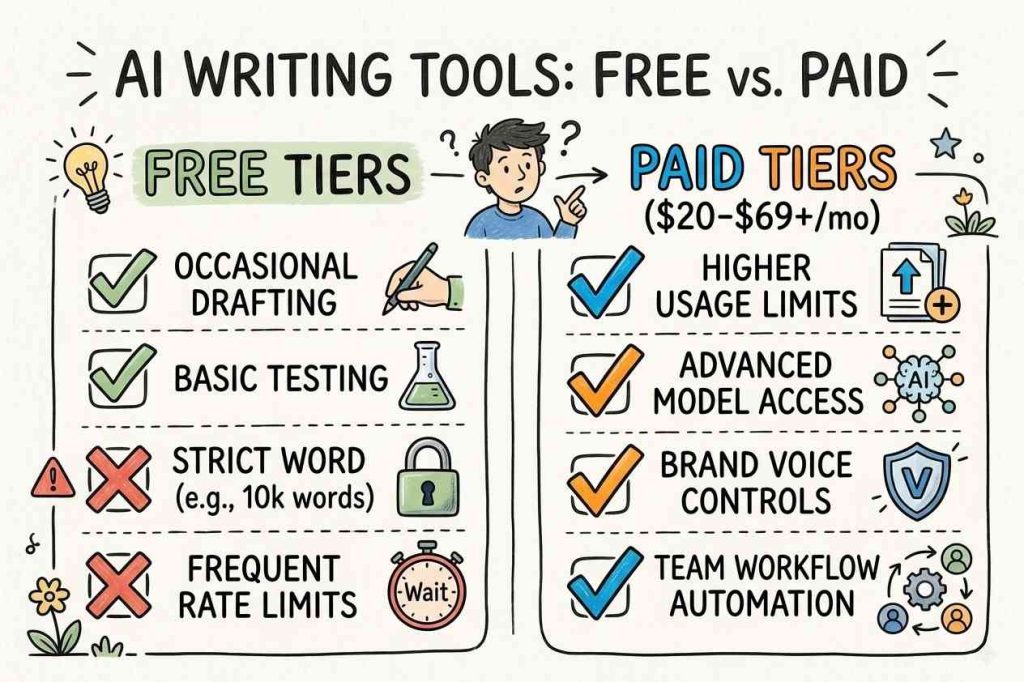
Free Tiers: What You Actually Get vs. What You Expect
ChatGPT and Claude both have legitimate free tiers, making them the strongest starting points for anyone not ready to commit.
The free tiers handle occasional drafting but hit limits quickly under a regular publishing schedule. Jasper skips free entirely and offers a 7-day trial instead. Writesonic’s free tier caps around 10,000 words monthly, covering light use but not a content-heavy blog.
When Upgrading to a Paid Plan Actually Makes Sense
For bloggers publishing more than four to six articles monthly, a paid plan is almost always worth it. The $20 entry tier on ChatGPT and Claude opens higher usage limits and stronger model performance.
For marketing teams needing brand voice controls and workflow automation, Jasper’s Pro plan or Writesonic’s higher tiers deliver enough infrastructure to justify the cost against hours saved on revision.
Where AI Writing Tools Fall Short and Why Editing Still Matters
The AI Detection Problem: What the Data Actually Shows
Published 2026 benchmarks show detectors perform well on raw machine-generated text, with GPTZero reaching roughly 99% accuracy on controlled tests.
But performance collapses on humanized text. Top detectors catch 90% of raw output yet only 3-8% of edited drafts.
If you care about content authenticity, depending on machine drafts alone poses real reputational risk.
The Editing Steps That Make AI Drafts Worth Publishing
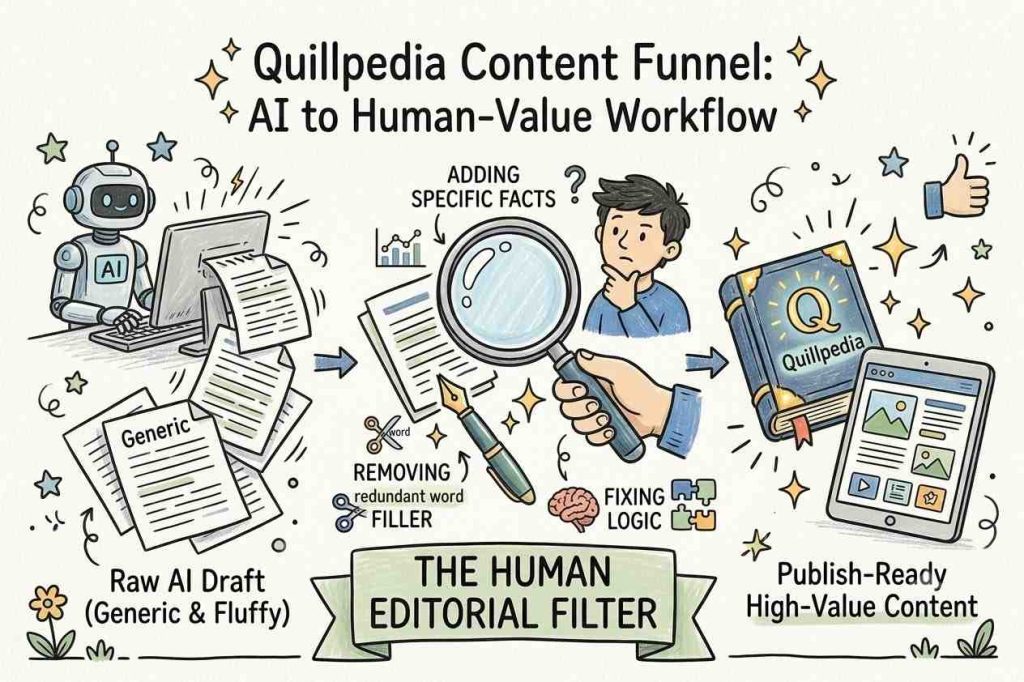
A raw draft needs specific work before it’s ready. Add specific facts and sourced examples where the machine wrote in generalities. Rewrite the introduction and conclusion in your own voice. Remove filler transitions and vague hedging. Check for logical flow – these platforms often restate the same point in slightly different words across a long draft.
This editing layer is non-negotiable. At Quillpedia, machine assistance functions as a drafting layer, not a publishing shortcut. The human editorial pass is what separates content worth reading from content that ranks, gets ignored, and drops off.
The Right AI Writing Tools for Your Workflow
Start with use case, then check integrations, then evaluate pricing against your publishing volume. For long-form blogging, Claude or ChatGPT gives you the strongest foundation. For marketing copy and subject lines, Anyword or Copy.ai outperforms general-purpose options on the work that actually matters. For SEO-driven publishing with a CMS workflow, Surfer AI or Writesonic handles more of the process so you spend less time switching between platforms.
The biggest mistake is overweighting features you don’t use yet and underweighting the editing work every option still requires. Pick one or two that fit your primary use case, run them through a real project, and judge the output after editing – not before.
Disclaimer: This article is for informational purposes only and doesn’t constitute professional software procurement or legal advice. Always evaluate options against your specific workflow needs before purchasing.
Frequently Asked Questions
Which AI writing tool is actually best for blog posts, Claude or ChatGPT?
Claude writes better. Natural prose, consistent tone across long drafts. Unlike ChatGPT, it doesn’t randomly change voice halfway through. ChatGPT is messier but more flexible. It handles outlining and editing in one place. Want a near final draft? Claude. Need one tool for everything? ChatGPT. Try both on your real content. The choice becomes obvious fast.
Why does my AI-written content keep getting flagged by detectors even after I edit it?
Light editing is useless. Detectors scan sentence rhythm and word patterns. You have to rewrite big chunks in your actual voice. Add a personal experience. Use specific numbers, not round ones. The only real solution is writing some sections yourself. Do not just polish machine output. Replace the weak parts entirely.
Do I really need a paid AI writing tool, or is the free version enough?
Free works for occasional use. But over four articles a month? You will hit limits constantly. The $20 monthly plan pays for itself fast. For teams with brand voice rules, higher tiers are worth it. The workflow automation alone saves hours. If content is your business, paid is a no brainer.
What is the difference between an AI copywriting tool and an AI content generator?
Copywriting options are sprinters for short stuff, like ads and subject lines. Content generators are marathon runners for long form, like blogs and white papers. Models may be similar, but the interfaces and templates are built for different jobs. Do not buy a copywriting platform expecting a full blog series. You will regret it.
Can I publish AI-generated content directly without editing it?
You can. But do not. Raw drafts are full of generic fluff, logic gaps, and made up facts. Smart publishers treat automation as a rough intern, not a final editor. Budget at least 30 minutes of editing per 1,000 words. Anything less is a gamble with your credibility. Not worth it.